
Articoli correlati a Laptops for Dummies
Sinossi
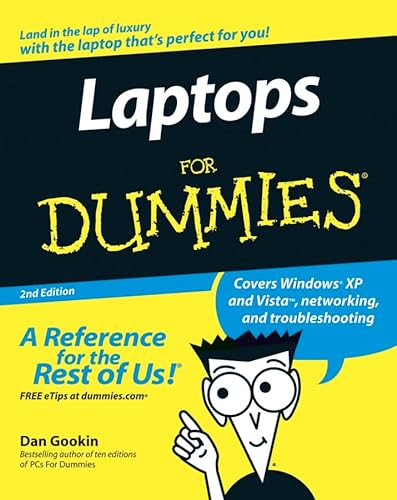
In business, laptops are essential to providing mobility to workers. Many business laptops spend much of their time in a desktop docking station and are always available to hit the road. In the home, laptops are most often purchased as a second PC. And now that laptops offer larger displays, longer battery power and speeds equal to desktop computers, some users have sworn off desktops altogether. This trend is likely to continue. The laptop makes a natural second PC. Laptops For Dummies, 2 Edition covers the many new things to consider—and puzzles to solve—when purchasing a laptop. Issues unique to laptops include synchronizing with the desktop, coordinating email pickup between two machines, remote access to the desktop, networking, power management, and especially laptop security. The 2 Edition provides a general update to cover new technology, current processors available, and steps to update memory and hard drive capacities; includes more information on interfaces between laptops, MP3 players, live video, and digital cameras; up-to-date details on wireless communication; a look at the many gadgets and gizmos that are available as laptop add-ons; a deeper discussion of networking procedures; information specific to a road warrior; and more. The 2 Edition also features Windows Vista as the operating system.
Le informazioni nella sezione "Riassunto" possono far riferimento a edizioni diverse di questo titolo.
Informazioni sull'autore
Dan Gookin started the Dummies phenomenon with DOS For Dummies in 1991. More than 11 million copies of his books are now in print, translated into 32 languages.
Dalla quarta di copertina
Understand your laptop, power it up, and play it safe
Follow Dan's plan for picking the perfect laptop and hit the road
You hold in your hands the next-best thing to a laptop itself -- the complete fun-and-easy guide to choosing and using the laptop that fits your needs. Here's Dan Gookin's should-be-patented five-step process for buying a computer plus the complete laptop lowdown -- power management, wireless access, special security issues, and more.
Discover how to
* Decide what you want and shop accordingly
* Use Windows Vista on your laptop
* Connect external devices via USB ports
* Hook up with a wireless network
* Protect your laptop and your data
Le informazioni nella sezione "Su questo libro" possono far riferimento a edizioni diverse di questo titolo.
Risultati della ricerca per Laptops for Dummies

Foto dell'editore
Laptops For Dummies
Editore:
John Wiley and Sons Ltd, 2006
ISBN 10: 0470054328
ISBN 13: 9780470054321
Antico o usato
Paperback
Da: World of Books (was SecondSale), Montgomery, IL, U.S.A.
Valutazione del venditore 5 su 5 stelle

Paperback. Condizione: Fair. Are you thinking about buying a laptop, but you're not sure what to look for, how to choose one, or how to use it? Or maybe you already have a laptop and just want to learn more about its features, functions, and capabilities. This guide provides you advice on shopping for a laptop and using it wherever you go-at home, in class, or on the road. Codice articolo 00099229960
Compra usato
EUR 4,73
Spedizione gratuita
Spedito in U.S.A.
Spedito in U.S.A.
Quantità: 1 disponibili
Immagini fornite dal venditore
Laptops For Dummies
Da: Greenworld Books, Arlington, TX, U.S.A.
Valutazione del venditore 5 su 5 stelle
Condizione: good. Fast Free Shipping â" Good condition. It may show normal signs of use, such as light writing, highlighting, or library markings, but all pages are intact and the book is fully readable. A solid, complete copy that's ready to enjoy. Codice articolo GWV.0470054328.G
Compra usato
EUR 4,75
Spedizione gratuita
Spedito in U.S.A.
Spedito in U.S.A.
Quantità: 1 disponibili
Foto dell'editore
Laptops For Dummies
Da: Evergreen Goodwill, Seattle, WA, U.S.A.
Valutazione del venditore 5 su 5 stelle
paperback. Condizione: Good. Codice articolo mon0000463445
Compra usato
EUR 1,67
Spedizione EUR 3,55
Spedito in U.S.A.
Spedito in U.S.A.
Quantità: 1 disponibili
Foto dell'editore
Laptops For Dummies
Editore:
John Wiley and Sons Ltd, 2006
ISBN 10: 0470054328
ISBN 13: 9780470054321
Antico o usato
Paperback
Da: World of Books Inc, Montgomery, IL, U.S.A.
Valutazione del venditore 4 su 5 stelle

Paperback. Condizione: Fair. Are you thinking about buying a laptop, but you're not sure what to look for, how to choose one, or how to use it? Or maybe you already have a laptop and just want to learn more about its features, functions, and capabilities. This guide provides you advice on shopping for a laptop and using it wherever you go-at home, in class, or on the road. Codice articolo CIN0470054328A
Compra usato
EUR 6,56
Spedizione gratuita
Spedito in U.S.A.
Spedito in U.S.A.
Quantità: 1 disponibili
Foto dell'editore
Laptops For Dummies
Da: HPB-Ruby, Dallas, TX, U.S.A.
Valutazione del venditore 5 su 5 stelle
paperback. Condizione: Very Good. Connecting readers with great books since 1972! Used books may not include companion materials, and may have some shelf wear or limited writing. We ship orders daily and Customer Service is our top priority! Codice articolo S_433895224
Compra usato
EUR 3,22
Spedizione EUR 3,34
Spedito in U.S.A.
Spedito in U.S.A.
Quantità: 1 disponibili
Foto dell'editore
: Laptops for Dummies
Editore:
Wiley & Sons, Incorporated, John, 2006
ISBN 10: 0470054328
ISBN 13: 9780470054321
Antico o usato
Brossura
Da: Better World Books, Mishawaka, IN, U.S.A.
Valutazione del venditore 5 su 5 stelle
Condizione: Good. 2nd Edition. Pages intact with minimal writing/highlighting. The binding may be loose and creased. Dust jackets/supplements are not included. Stock photo provided. Product includes identifying sticker. Better World Books: Buy Books. Do Good. Codice articolo GRP14851885
Compra usato
EUR 7,18
Spedizione gratuita
Spedito in U.S.A.
Spedito in U.S.A.
Quantità: 1 disponibili
Foto dell'editore
: Laptops for Dummies
Editore:
Wiley & Sons, Incorporated, John, 2006
ISBN 10: 0470054328
ISBN 13: 9780470054321
Antico o usato
Brossura
Da: Better World Books: West, Reno, NV, U.S.A.
Valutazione del venditore 5 su 5 stelle
Condizione: Good. 2nd Edition. Pages intact with minimal writing/highlighting. The binding may be loose and creased. Dust jackets/supplements are not included. Stock photo provided. Product includes identifying sticker. Better World Books: Buy Books. Do Good. Codice articolo GRP14851885
Compra usato
EUR 7,18
Spedizione gratuita
Spedito in U.S.A.
Spedito in U.S.A.
Quantità: 1 disponibili
Foto dell'editore
Laptops For Dummies
Da: ThriftBooks-Phoenix, Phoenix, AZ, U.S.A.
Valutazione del venditore 5 su 5 stelle
Paperback. Condizione: Good. No Jacket. Pages can have notes/highlighting. Spine may show signs of wear. ~ ThriftBooks: Read More, Spend Less. Codice articolo G0470054328I3N00
Compra usato
EUR 7,26
Spedizione gratuita
Spedito in U.S.A.
Spedito in U.S.A.
Quantità: 1 disponibili
Foto dell'editore
Laptops For Dummies
Da: ThriftBooks-Dallas, Dallas, TX, U.S.A.
Valutazione del venditore 5 su 5 stelle
Paperback. Condizione: Good. No Jacket. Pages can have notes/highlighting. Spine may show signs of wear. ~ ThriftBooks: Read More, Spend Less. Codice articolo G0470054328I3N00
Compra usato
EUR 7,26
Spedizione gratuita
Spedito in U.S.A.
Spedito in U.S.A.
Quantità: 2 disponibili
Foto dell'editore
Laptops For Dummies
Da: ThriftBooks-Atlanta, AUSTELL, GA, U.S.A.
Valutazione del venditore 5 su 5 stelle
Paperback. Condizione: Good. No Jacket. Pages can have notes/highlighting. Spine may show signs of wear. ~ ThriftBooks: Read More, Spend Less. Codice articolo G0470054328I3N00
Compra usato
EUR 7,26
Spedizione gratuita
Spedito in U.S.A.
Spedito in U.S.A.
Quantità: 2 disponibili